|
| |
 |
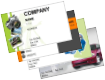
The Design Wizard includes hundreds of
templates for general and specific business use.
Select a template, fill in your information, choose an optional
background and logo and a business card is automatically created.
Want more flexibility? No problem! Once the
business card is created you can change it any way you want. You
can even start with a completely blank business card and design
it yourself. Includes thousands of
pre-defined backgrounds, textures and clipart images for use
on your business card. With support for all popular image
formats you can also use your own logos and clipart.
Attention Small Business Owners... Don't pay high prices for 500 or 1000
pre-printed business cards. Print high quality business cards as
you need them on your own printer using our business card software. |
|
Key Benefits:
(For Windows Vista/XP/2003/2000/ME/98SE or later.)
- Create a Business Card FAST!: Use the Design Wizard to create a great
looking business card from one of hundreds of business card
templates in literally seconds. If you prefer you can also
create a blank card and design it yourself.
View Tutorial
View Screenshot
- Thousands of pre-defined backgrounds, textures and clipart
images: In addition, all common image formats are supported so
you can use your own pictures, logos and clipart to design the
perfect custom business card for you. You can even scan pictures
from a scanner or a digital camera directly into your design with
our business card software.
View Screenshot
- Support for ALL Business Card Stock: Design US size,
metric size or custom business cards. Cards of any size between 1 to 4
inches can be created.
View Screenshot
- Support for all Styles of Business Cards: Standard Wide,
Tall, Double Sided, Photo Quality, Folded and CD-R Business Cards.
You name it and this business card software can handle it.
View Samples
- Print it Yourself or Have it Printed Professionally: You
can print your business card on your computer's printer and achieve
excellent results or you can save your business
card as an
image and take it to your local print shop to have your custom
business card
printed professionally.
- Custom Printing Options: With our business card software
you can print any number of business cards
starting at any position on the sheet on any Windows compatible
printer using our business card printing software.
View Screenshot
- Graphic Effects: Crop, mirror, flip, rotate,
negative, noise, gamma, etc. Even give a graphic a transparent
background with our business card software.
View Tutorial
- Gradient and Texture Fills: Use a gradient or select a
texture or image to fill text and shape objects to create
outstanding custom business cards.
View Samples
- Useful Shape Tools: Draw lines, rectangles, triangles,
ellipses, diamonds and more.
- Text Effects: Our business card software lets you draw spiral, radial, arc and variable size text. Change the font, size, color, style, shadow and rotation. You can
even display text as a barcode.
View
Samples
- Store Business Card Information for Multiple Employees:
The built-in Personal Database to store information for multiple
cards so printing cards for employees is a breeze.
View Screenshot
- Affordable: Design as many business cards and print as many copies
as you want for a $29.95 US one time license charge. You can't
beat our business card software!
BUY NOW |
What's
New | Benefits |
Screen Shots |
Samples |
FAQ's
Related Articles
Business card ideas are included in our software!
Business card templates can make your life easier!
Free
advise on how to design a great business card from Business-Cards-Free.com.
 |
Our business card software is available for a free 15 days
of use trial. During the trial period our business card maker is fully
functional, except for minor limitations in some cases. Once the trial
period is over you must purchase a license
and enter your license information to continue using it for designing
business cards.
Anytime during the trial period you can purchase a license to continue
using it or remove it from your computer and owe nothing.
|
|
|
|
Purchase Download
Support
Contact About
Privacy Policy Home
Copyright © 1994-2008 CAM
Development. All rights reserved.
|
|